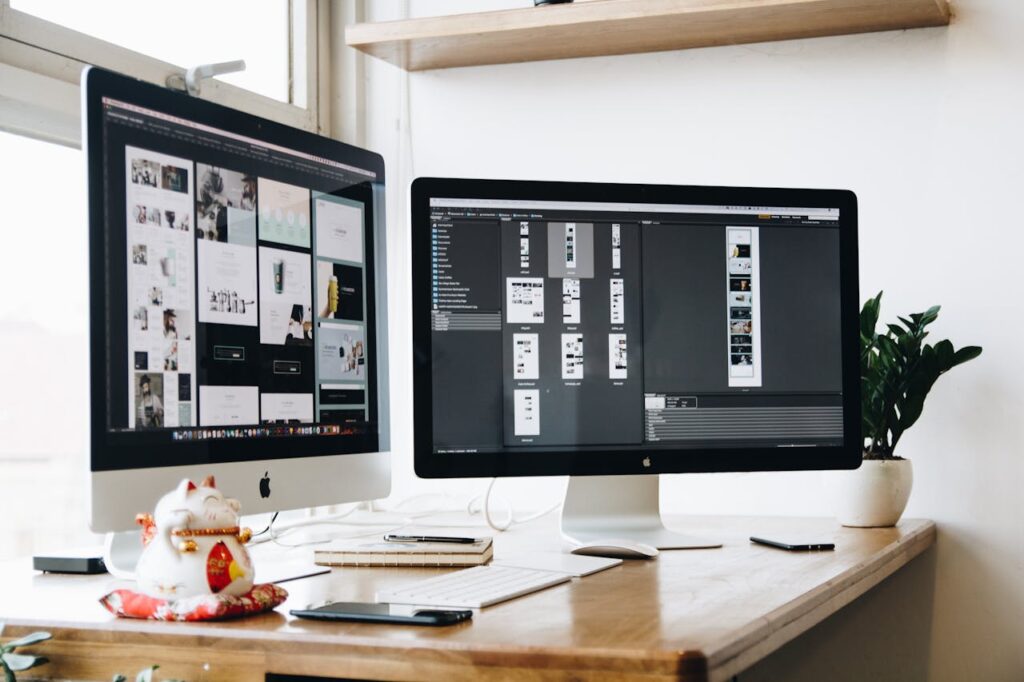

Most people do not need a perfect home office. They need a setup that is comfortable enough to use every day, compact enough for a Singapore home, and reliable enough that it does not create new problems. If you work from a laptop, study at a small desk, or switch between video calls, documents, and browser tabs, the best starting point is simple: fix your screen height, seating, typing position, ports, and lighting before buying nice-to-have desk accessories.
Quick answer
For most home office setups in Singapore, the first upgrades should improve posture and daily usability. A laptop stand or external monitor raises your screen, an external keyboard and mouse make that setup comfortable, and better lighting helps with video calls and evening work.
| Priority | What to buy | Why it matters | When to skip it |
|---|---|---|---|
| 1 | Laptop stand or external monitor | Raises your screen and helps reduce awkward neck posture | Skip only if your screen is already at a comfortable height |
| 2 | External keyboard and mouse | Makes a raised laptop or monitor setup easier to use | Skip if you already use a proper desktop input setup |
| 3 | Comfortable office chair or seat support | Helps during long work or study sessions | Skip if your current chair already fits your body and desk well |
| 4 | USB-C hub or docking adapter | Adds ports for monitors, accessories, Ethernet, and charging | Skip if your laptop already has the ports you need |
| 5 | Desk lamp or monitor light | Improves visibility and video call lighting | Skip if your room lighting is already bright and even |
| 6 | Monitor arm and cable management | Frees desk space and makes the setup cleaner | Skip if your desk cannot support clamps or your setup is temporary |
Who this guide is for
This guide is for people in Singapore who want a better home office setup without buying random desk gadgets. It is useful if you work from a laptop, study at home, use a small HDB bedroom desk, take frequent video calls, or compare electronics across Shopee, Lazada, Amazon.sg, and local retailers.
It is also for buyers who want practical checks before ordering. A home office product can look good in a listing but still be wrong for your desk, laptop, room size, return situation, or warranty needs.
What to buy first
The best buying order depends on your current setup. If you work from a laptop placed flat on the desk, start with screen height and typing comfort. If you already have a monitor, check your chair, lighting, and cable setup instead.
A good home office setup does not have to be expensive. It has to solve the problem you feel most often.
| Main problem | Best first upgrade | Why this matters |
|---|---|---|
| Your neck feels strained | Laptop stand or external monitor | Screen height affects your posture every time you work |
| Your hands or shoulders feel awkward | External keyboard and mouse | A raised screen only works well if your hands can stay lower and relaxed |
| You sit for long hours | Better chair or seat support | Comfort matters more than desk styling if you sit most of the day |
| Your laptop has too few ports | USB-C hub or dock | It reduces adapter clutter and makes monitor or accessory use easier |
| Your video calls look dark | Desk lamp or monitor light | Lighting is often a cheaper fix than buying a new webcam |
| Your desk feels cramped | Monitor arm or cable management | Freeing surface space can make a small desk feel easier to use |
How to choose the right option
Size, space, and setup
Measure your desk before buying anything large. A 27-inch monitor can be a great home office upgrade, but it may feel too close on a shallow desk. A monitor arm can save space, but only if your desk edge can support the clamp.
For small HDB rooms or compact condo bedrooms, think vertically. A laptop stand, monitor riser, monitor arm, cable clips, and compact keyboard can help more than buying a bigger desk.
Compatibility
Check compatibility before buying USB-C hubs, monitor arms, laptop stands, chargers, and monitors.
For USB-C hubs, do not assume every USB-C port supports display output or charging. Some hubs support HDMI, Ethernet, USB-A, SD cards, and power delivery, but the laptop itself still needs to support the function you want. For monitor arms, check VESA support, monitor weight, screen size, desk thickness, and rear clearance.
Warranty and seller reliability
For home office gear, the seller can matter almost as much as the spec sheet. This is especially true for monitors, chairs, USB-C hubs, power accessories, and anything expensive or bulky.
Check whether the seller is official or authorised, whether the warranty is local, and whether the return policy is realistic for the item. Return windows can differ by platform, seller, item type, and fulfilment method, so always check the exact listing before buying.
Recommended starting setup
Use these as practical setup examples, not a fixed shopping list. The right setup depends on your desk size, laptop, budget, and how many hours you work from home.
Laptop-first setup
This is the best starting point if you mainly work from a laptop and do not want to buy a monitor yet.
- Laptop stand
- External keyboard
- External mouse
- Desk lamp if your room lighting is poor
- USB-C hub only if your laptop lacks ports
This setup is affordable, compact, and easy to move. It works well for students, renters, hybrid workers, and small desks.
Example: adjustable laptop stand
A laptop stand helps raise your screen and free up desk space. Check the supported laptop size, stability, adjustability, and whether it still leaves room for an external keyboard and mouse.
Affiliate placeholders: [Amazon.sg link] [Shopee link] [Lazada link]
Monitor-first setup
This is better if you spend long hours in documents, spreadsheets, design tools, dashboards, or video calls.
- 24-inch or 27-inch monitor
- External keyboard and mouse
- Laptop stand or vertical laptop stand
- USB-C hub or USB-C monitor if your laptop supports it
- Monitor arm only if you need more desk space
A 27-inch QHD monitor is often a sensible home office target because it gives more space than a basic laptop screen without becoming too large for many Singapore desks. The right choice still depends on warranty, ports, desk depth, and current price.
Example: 27-inch QHD monitor
A 27-inch QHD monitor is worth checking if you want more room for tabs, documents, spreadsheets, and video calls. Before buying, check resolution, panel type, height adjustment, warranty, HDMI or USB-C support, and whether your desk is deep enough.
Affiliate placeholders: [Amazon.sg link] [Shopee link] [Lazada link]
Small desk setup
This setup is for HDB bedrooms, shared rooms, or compact study corners where surface space is limited.
- Laptop stand or compact monitor riser
- Compact keyboard
- Wireless mouse
- Small desk lamp or monitor light
- Cable clips or Velcro ties
- Monitor arm only if your desk supports it
Avoid oversized speakers, large monitor stands, deep keyboards, and bulky chair designs unless you have enough space. The goal is to keep the main work area clear.
Example: compact keyboard and wireless mouse
A compact keyboard and wireless mouse can make a small desk easier to use. Check layout, battery type, Bluetooth or USB receiver support, and whether you need a number pad for spreadsheets.
Affiliate placeholders: [Amazon.sg link] [Shopee link] [Lazada link]
Video-call setup
This setup is useful if you spend a lot of time on Zoom, Google Meet, Teams, or client calls.
- Good front lighting
- Laptop stand or external monitor
- External webcam only if your laptop camera is poor
- Simple microphone or headset if your room is noisy
- Stable internet connection
Before buying a webcam, fix your lighting first. A dark room can make even a decent camera look bad.
Example: desk lamp or monitor light
A desk lamp or monitor light can improve evening work and video calls. Check brightness control, glare, desk placement, USB power needs, and whether the light reflects on your screen.
Affiliate placeholders: [Amazon.sg link] [Shopee link] [Lazada link]
What to avoid
Do not buy the biggest monitor before measuring your desk. Bigger can become uncomfortable if the screen is too close.
Do not buy a chair only because the listing says ergonomic. Check the actual adjustments, seat height, back support, return terms, and whether the size fits your room.
Do not buy a USB-C hub without checking HDMI support, charging power, and whether your laptop supports display output through USB-C.
Do not assume every marketplace listing has local warranty. Look for official stores, authorised sellers, local stock, and clear warranty terms.
Do not buy every accessory at once. A cleaner desk is nice, but it should come after the setup is comfortable and usable.
Singapore buying notes
Shopee and Lazada can be useful for affordable accessories such as laptop stands, cable management, mouse pads, lamps, and basic keyboards. For more expensive items, official stores and sellers with clear warranty terms are safer.
Amazon.sg can be convenient for accessories, USB-C hubs, keyboards, mice, and some monitors, but check whether the item is sold by Amazon, fulfilled by Amazon, or sold by a third-party seller. Return handling and warranty expectations can differ by listing.
For local price context, check retailers such as Challenger, Courts, Gain City, Harvey Norman, Sim Lim Square shops, Dell Singapore, Logitech Singapore, IKEA Singapore, and brand stores. You do not need to buy from every retailer, but checking them helps you understand the realistic local price range.
During sale periods like 9.9, 10.10, 11.11, 12.12, Black Friday, and year-end sales, compare the final checkout price, not just the discount badge. Vouchers, shipping fees, platform coins, card deals, warranty, and seller type can change the real value.
FAQ
What is the first home office item I should buy?
If you work from a laptop, start with a laptop stand plus an external keyboard and mouse. This usually improves posture and typing comfort faster than buying decorative desk accessories.
Is a 27-inch monitor too big for an HDB bedroom desk?
Not always. A 27-inch monitor can work well if your desk has enough depth and the screen is not too close. For very shallow desks, a 24-inch monitor may feel more comfortable.
Do I need an ergonomic chair for working from home?
You do not need an expensive chair immediately, but you do need a chair that fits your body, desk height, and room. If your current chair causes discomfort during long sessions, seating should become a priority.
Should I buy a USB-C hub or a docking station?
A USB-C hub is enough for many laptop users who need HDMI, USB-A, Ethernet, or pass-through charging. A docking station makes more sense if you use multiple monitors, many accessories, or a fixed desktop-style setup.
Is it safe to buy home office gear from Shopee or Lazada?
It can be, but check the seller carefully. Look for official stores, clear warranty terms, local stock, strong reviews, and proper platform payment. Be more careful with expensive electronics, power accessories, chairs, and bulky items.
Final recommendation
The best home office gear in Singapore is not the most expensive setup. It is the setup that fixes your daily work problems first.
For most people, start with screen height, keyboard and mouse comfort, seating, ports, and lighting. Once those basics are working, you can add a monitor arm, cable management, webcam, better microphone, or nicer desk accessories.
A practical home office should feel easier to use every day. If an upgrade does not improve comfort, focus, desk space, or reliability, it can probably wait.